

In today's fast-moving digital era, running a repair lab, an IT services company or a technician business takes far more than a notebook, outdated Excel spreadsheets or basic point-of-sale software. Today's customers demand full transparency, real-time updates and fast service, while business owners need tight control over inventory, work hours, profitability and legal protection. This is exactly where OmniCore CRM comes in, the flagship system developed by Logicode Web System.

This is no longer a generic management tool; it is an advanced, smart and comprehensive SaaS (Software as a Service) platform, tailor-made for technology businesses, mobile and computer labs, and support providers. In this article we dive into the system's capabilities, see how it solves lab managers' biggest pain points, and find out why choosing a Logicode Web System solution is the smartest investment for your business.
An End to Chaos: Smart Management of the Lab Floor
One of the biggest challenges in any lab is managing the queue and priorities. When is a device waiting for a part? Which device is on the technician's bench right now? Which customers are waiting for pickup?
OmniCore offers a visual, interactive Kanban Board that lets lab managers see all open repairs at a single glance. Repair cards move smoothly between statuses such as "New in queue", "Diagnosing/Repairing", "Waiting for parts" and "Ready for pickup".
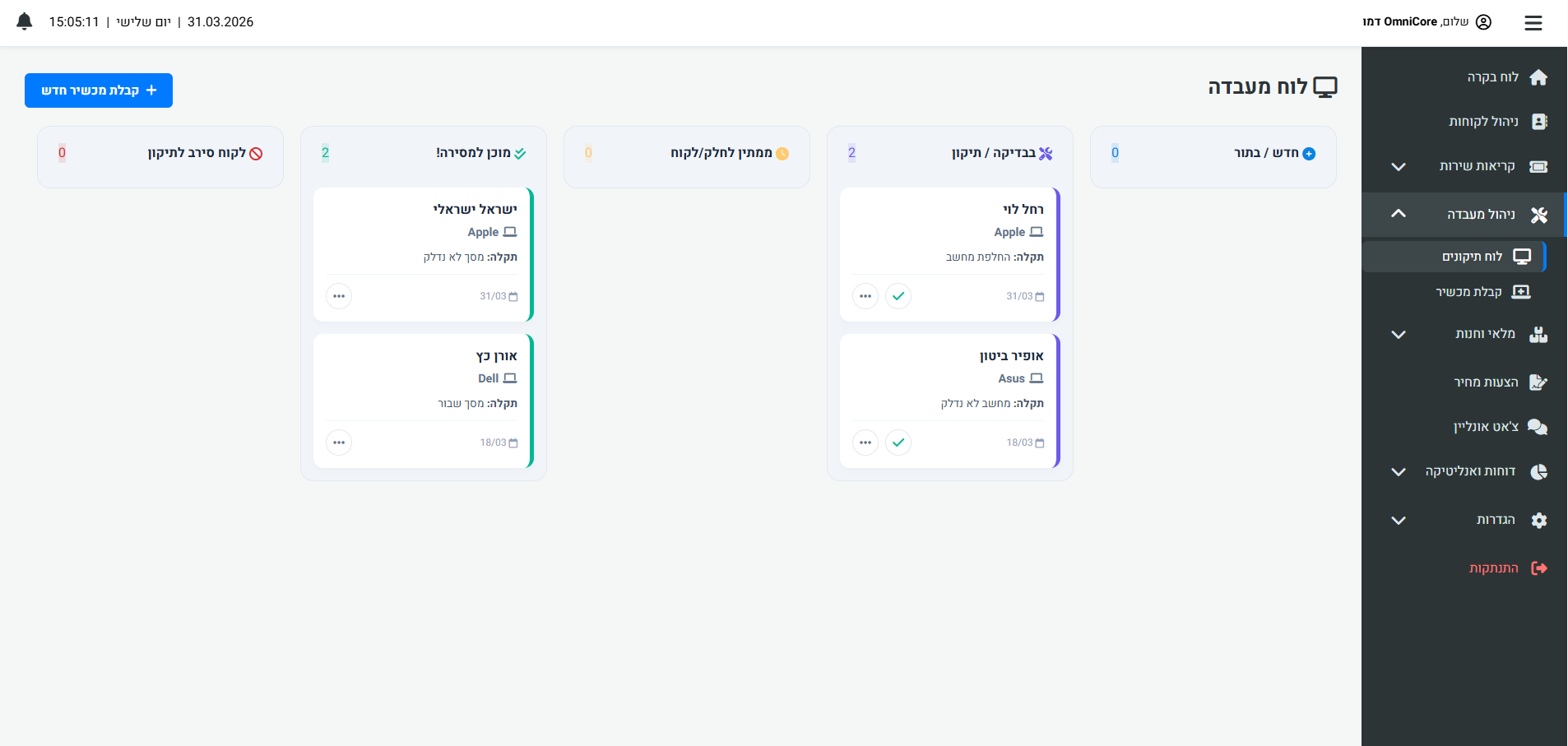
Moving between statuses is not just a visual matter. The system sets a new standard of automation: the moment a technician changes a device's status, the system can automatically fire off a personal SMS to the customer. This automation saves dozens of phone calls a day for status updates and lifts the level of service in the customer's eyes.
Advanced Customer Experience: Digital Signature and Legal Protection
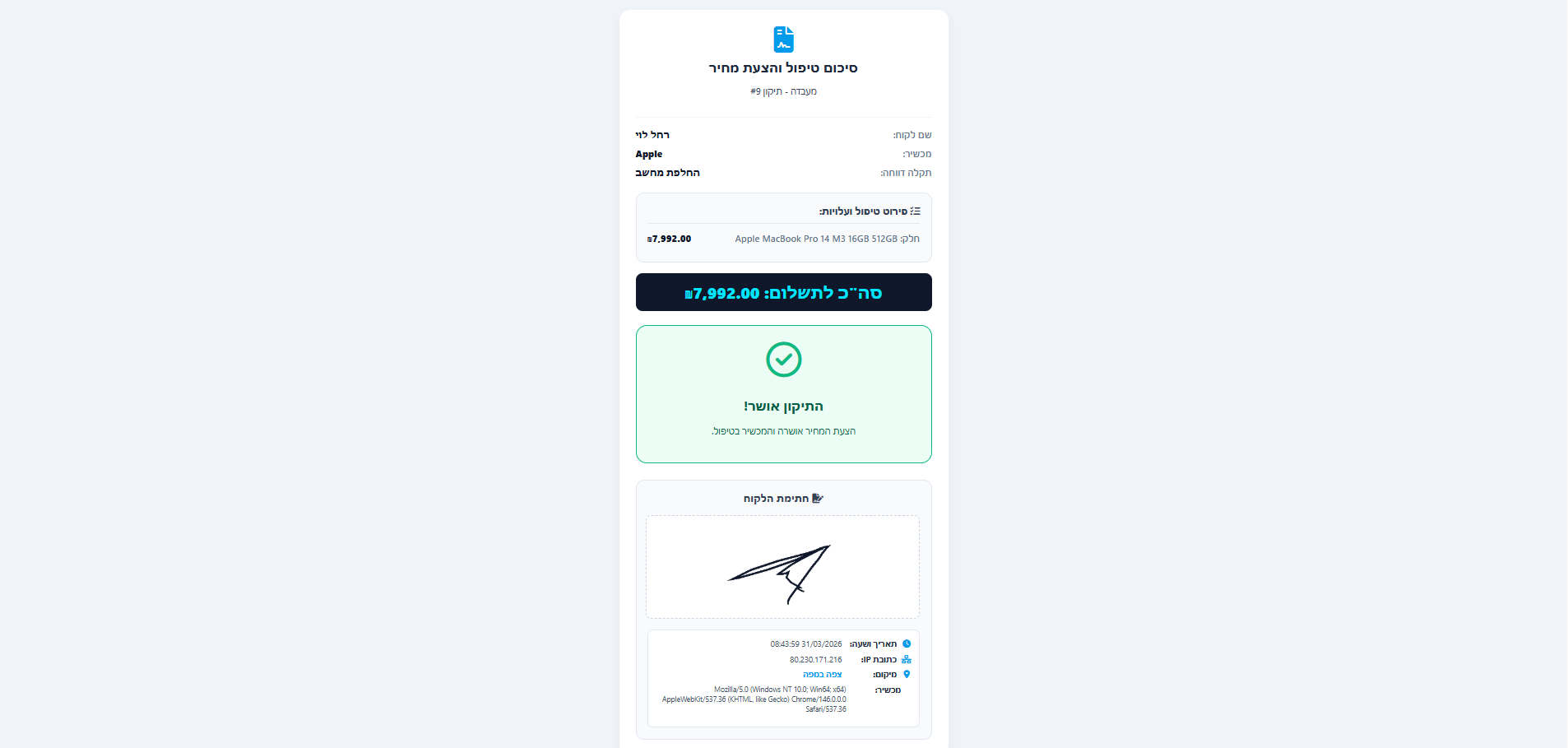
The system puts an end to disputes with customers through one of the most advanced digital signature mechanisms in the industry. When a technician finishes diagnosing a device and prepares a quote, they can send the customer a designed WhatsApp message with the press of a button.
The message contains a link to a personal area where the customer sees an exact breakdown of the repair and the physical condition of the device. If they approve, they sign with their finger. The system collects a complete digital stamp: IP address, device type, browser, timestamp and GPS coordinates. This data is locked inside the repair card and serves as conclusive legal proof.
Time Tracking - Knowing How Much the Business Earns
Logicode Web System developed an internal work timer (Time Tracker) built directly into the repair card. The moment the technician starts working, they click the "Start work" button. A digital stopwatch starts running in real time (AJAX). This capability lets business managers produce detailed profitability reports and know exactly what the net labor cost is compared with actual revenue.
360° Customer Card - Everything in One Place
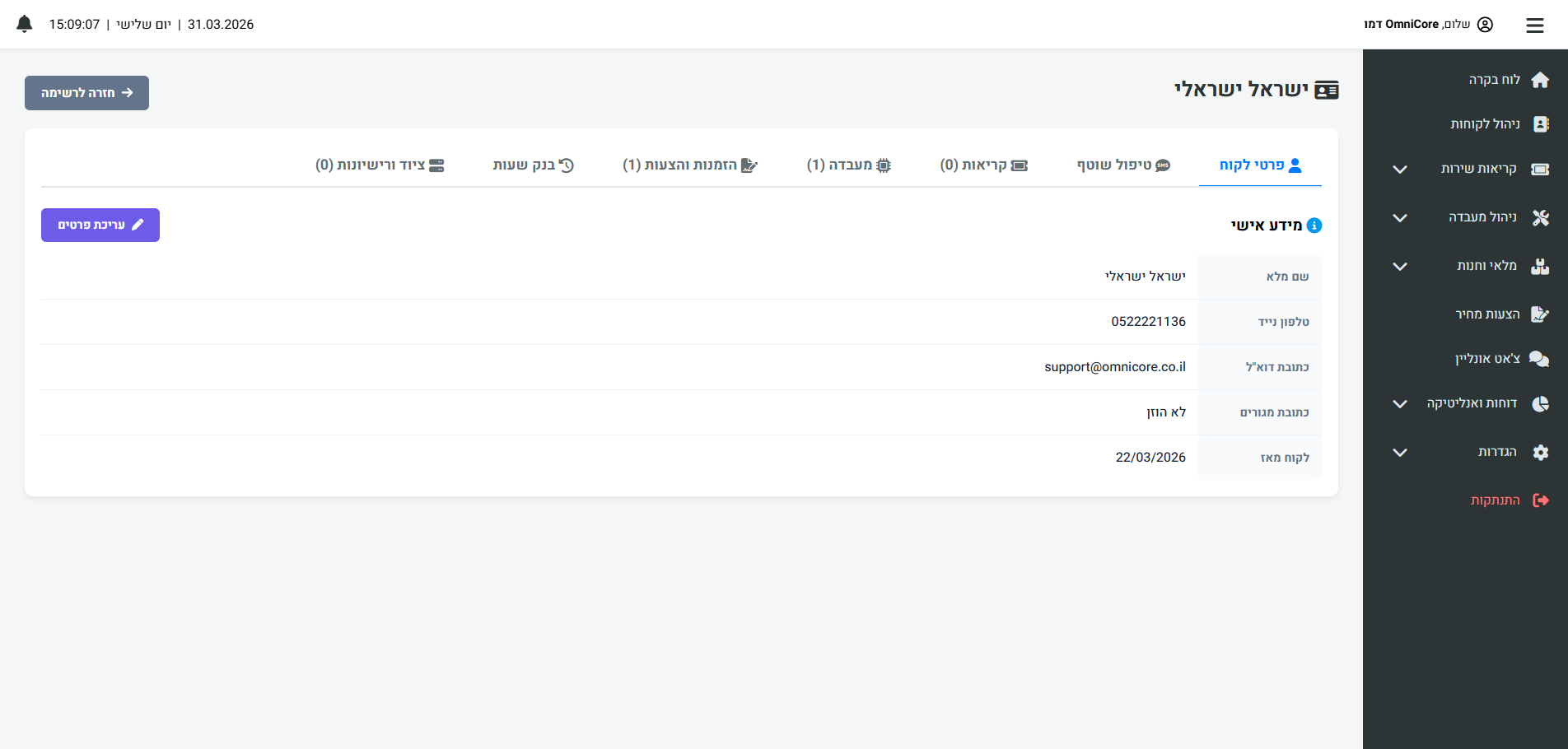
The customer card was built from a deep understanding of field needs:
- Repair history: Full documentation of every issue handled in the past.
- Hour bank management: A must-have feature for IT companies, for automatically deducting support hours.
- Asset and license management: Tracking of servers, computers and expiring software licenses.
- Treatment log (Logs): A chronological timeline of every message, call or document.
Advanced Inventory Management in the Work Environment
The system connects the lab floor with the parts warehouse. From the repair card, the technician can search for parts in stock and add them directly to the bill. The system automatically calculates the total of all parts, adds Labor, and updates warehouse quantities in real time to prevent shortages.
"The combination of smart digital signatures and work time tracking makes the platform the leading solution in the lab market."
Why Choose a System from Logicode Web System?
Logicode specializes in advanced cloud solutions. The system was built on a Multi-Tenant SaaS architecture, which ensures complete separation and encryption of your customers' data. The system is accessible from anywhere, receives regular updates, and is precisely adapted to the Israeli market with a full Hebrew (RTL) interface.
Ready to take your lab to the next level? Contact us today and discover how smart technology will make your business more efficient, transparent and profitable.
How to choose a repair lab management system: a checklist
Before comparing prices, define what the lab actually needs to fix. A shop that loses devices in the queue needs something different from one struggling with invoices or missing parts. Starting from the main pain point saves months of retrofitting later. Even a small lab can benefit from thinking about smart automation, as explained in the article on AI-driven development in a CRM.
A system such as OmniCore CRM was built around the lab workflow, so every candidate, ours included, should face the same questions. If you are weighing an off-the-shelf product against a purpose-built one, read about the difference between off-the-shelf SaaS and a custom system.
- Can you see every open repair on one board by status rather than a flat list?
- Does a status change notify the customer automatically, with control over the wording?
- Is quote approval stored with a timestamp and the signing device details?
- Are spare parts deducted from stock directly inside the repair ticket?
- Can you compare actual labor hours against revenue for each repair?
- Is the interface fully in Hebrew with correct RTL layout?
How to move from spreadsheets and paper to a system without stopping work
A migration works best in stages rather than on a single day. Start on a quiet weekend or with new repairs only, and let open repairs finish in the old method. That way no device falls between two systems.
The first step is cleaning the data: merge duplicate customer records, standardize device model names and count existing stock. Clean data at the start prevents frustration in every future report.
A cloud system holds customer data, so confirm encryption, separation between businesses and backups, as outlined on the hosting and security page. After a week or two of parallel work, check which fields technicians skip and simplify the forms. A system the team ignores is worth less than a good spreadsheet.
- Appoint a single owner for the rollout who knows the shop floor.
- Define repair statuses that reflect your real process.
- Import parts stock first, then customer history.
- Set a cut-off date for the old method so it does not linger forever.
Which metrics to track after rollout
A good system produces information you did not have before. The metrics below come straight from repair ticket data, so they need no extra bookkeeping. Record a baseline in the first week so you have something to compare against.
Combine the data with sound pricing. If you know how long a repair should take, you can price honestly and spot job types that do not pay. To estimate the cost of a custom development project, use our project quote calculator.
- Average time from intake to handover, by repair type.
- Share of quotes approved versus declined.
- Number of devices waiting for parts, and for how long.
- Actual labor hours against the amount billed.
- Stock shortages that stalled a repair.