
Business automation always sounds like savings, yet it can just as easily produce a fragile system nobody understands. The difference is decided before the first line of code: in which process you pick, how you map it, and what happens when something fails.
This article gives you a four-question filter, a way to map a process, a value formula that needs no invented numbers, a comparison of no-code tools and custom code, and a list of safeguards. The examples come from real work at Logicode.
What is business automation, and what is it not?
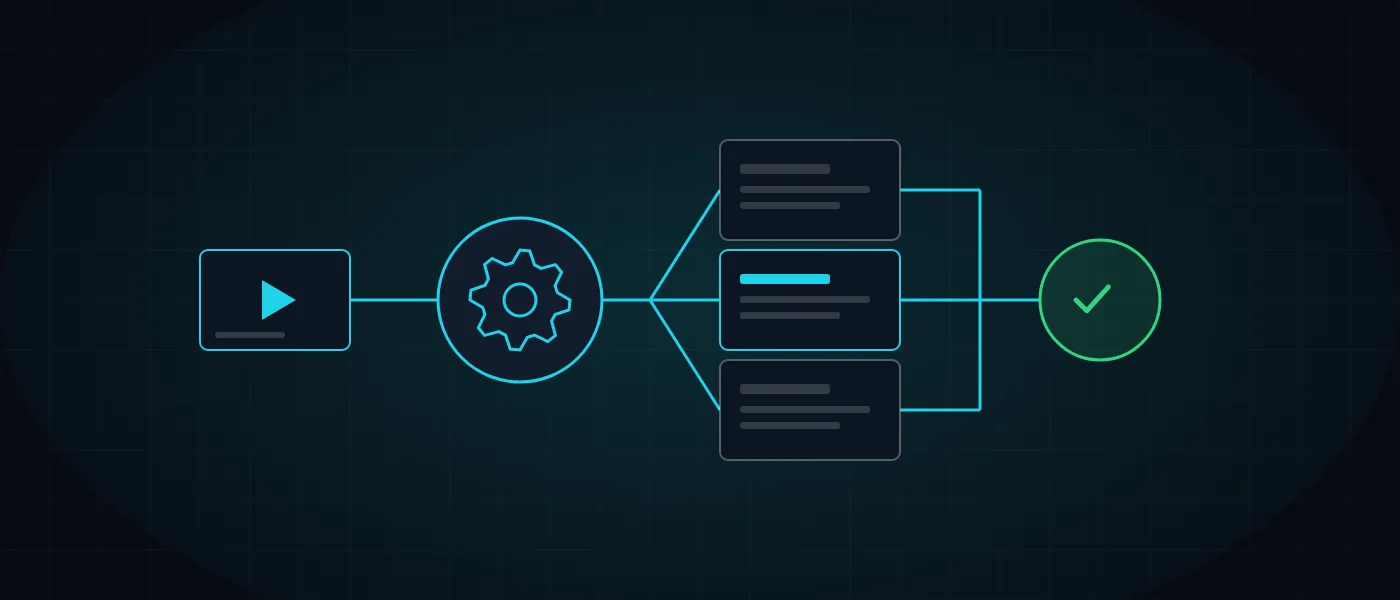
Business automation means software performing work that repeats and follows clear rules, in place of a person. The software receives a triggering event, such as a new enquiry from the website, carries out a fixed series of steps, and leaves a record of what it did.
It is not a replacement for judgement, and it will not repair a broken process. Automation accelerates whatever already exists, so a muddled process produces faster muddle. Order has to come first.
Every automation is built from the same parts, and using these terms makes conversation with any vendor or tool easier.
- Trigger: the event that starts the process, such as a submitted form or a fixed time of day.
- Rules: the conditions deciding what to do, for example by customer type or amount.
- Actions: the steps themselves, such as creating a record, sending a message or producing a document.
- Logging and alerting: a record of every run and a report to the owner when one fails.
How do you decide what to automate? Four filter questions
Before choosing a tool, ask four questions about each task. A task that passes all four is a good candidate, and one that fails any of them should stay with people or be fixed first.
The stability question is the one most often forgotten. A process that changes every month will cost more to maintain as an automation than it saves, so wait until it settles.
An example of the distinction: copying customer details from a form into a record is a recurring task with clear rules and high volume, so it is a good candidate for business automation. Replying to a disappointed customer, by contrast, takes judgement and empathy, and if a draft is generated automatically, a person should approve it before it is sent.
- Does the task recur at a steady frequency?
- Can it be described in if-then rules, with no personal judgement?
- Is the volume high, or is the cost of a single error high?
- Is the process stable and unlikely to change soon?
How do you map a process before automating it?
Process mapping is a written description of what happens today, step by step, including who does what and with which tools. Start by observing the work as it is actually done, not as it is supposed to be done.
Mapping exposes duplication, pointless steps and exceptions nobody recorded. Sometimes it shows that a step can simply be deleted, and then no automation is needed at all. A map like this is also the foundation of a specification, covered in our article on system specification.
Once the map is ready, mark which steps will deliberately stay human, such as approving an exception or talking to a customer. That split defines the boundaries of the automation and prevents software from making decisions nobody meant to hand over.
- What starts the process and who receives the result at the end.
- Where the data lives at each step and who updates it.
- Which exceptions exist, such as a new versus an existing customer, and how they are handled.
- What a successful finish looks like and how it is measured.
How do you estimate whether business automation pays off? A simple formula
A simple value estimate works like this: the time a task takes, times how often it runs, times the number of people who do it, plus the cost of the errors that will be avoided, minus the cost of building and maintaining the automation. Every component is measured in the same unit, such as hours or shekels per month.
Feed in numbers from your own reality, not general estimates. Measure one week of real work, and notice non-financial value too, such as how fast a customer gets an answer. To size the cost side of a custom build, you can use our website and systems cost calculator.
If the result is borderline, test a simpler version. A partial automation that handles only the common case and passes exceptions to a person often delivers most of the benefit at a fraction of the cost.
Which automations usually pay off for small and mid-sized companies?
The automations with the strongest return tend to be those that replace a check or an entry repeated every day. The list below is based on patterns we meet in Israeli businesses, and it does not promise a result for any specific company.
An example from our own products: Just-In sends real-time alerts for missing clock-outs and pending leave requests, plus a daily summary email to the manager. The manager no longer opens reports each morning to discover what is missing. The full context is in our article on a GPS-based attendance system.
Start with one automation, and move to the next only after it has run for a few weeks without trouble. Three automations launched at once are hard to monitor, and when something goes wrong it is unclear where. A small, documented success also builds trust among the team that will work with it.
- Capturing a website lead straight into the CRM and sending an instant first reply by WhatsApp or email.
- Producing a quote or invoice from order data, with no retyping.
- Scheduled reports delivered to the manager by email instead of manual exports.
- Onboarding a new customer or employee: documents, permissions and setup tasks.
- Low-stock alerts and purchase orders to suppliers.
- Preparing working hours for payroll from attendance data, plus reminders and follow-ups.
No-code tools or custom code: when does each fit?
No-code tools such as Zapier, Make and n8n connect systems through a visual interface without writing code. They are excellent for simple flows and for testing an idea, and setup is quick. n8n can also run on your own server, which matters if you want control over the data.
Custom code earns its place when volume is high, logic is complex, data is sensitive or the process is the core of the business. Such connections need reliable failure handling, which we detail in our guide to system integrations.
The choice does not have to be permanent. You can start with a no-code tool, learn how the process really behaves, and move to code once it settles. It is also a cheap way to discover that the process was not worth automating.
In either case, a connection depends on the other side. When a vendor changes its interface, a flow that worked for months can stop, so you need to know who is responsible for checking it and who receives the alert. That question matters as much as the choice between a tool and code.
- Run volume exceeds what the tool’s plan allows, or the monthly cost climbs sharply.
- Complex rules, parallel processing or precise error handling are needed.
- Sensitive data must stay on infrastructure you control.
Where does AI-assisted automation help, and where must a person stay involved?
Artificial intelligence helps with tasks that cannot be described in rigid rules: classifying incoming enquiries, drafting a reply, and extracting fields from a document or an email. It widens what can be automated, but it also makes mistakes, so it does not suit final decisions without oversight.
The safe pattern is a human in the loop: the system prepares, and a person approves before anything reaches a customer or the books. A familiar example is the Jesty assistant in Just-In, which answers a free-language question such as who was late this week from the company’s own data. For a wider view of AI inside management systems, see AI-driven development and CRM.
To limit mistakes, decide in advance what happens when the model is unsure: the case passes to a person automatically instead of moving on. Also keep a sample of results for periodic review, because classification and extraction quality shift with the kind of enquiries, and only ongoing monitoring reveals drift.
Which risks hide inside automation, and how do you guard against them?
The largest risk is the silent failure: the automation stops working and nobody notices until a customer complains. The second is data quality, because software consistently forwards wrong data too. The third is credentials, since every connection holds a key that must be restricted and stored safely.
Another risk is over-automating customer contact. One automatic first reply is reasonable, but a chain of robotic messages in place of a conversation can damage trust. For broader protection of online systems, see web security in 2026, and for infrastructure that keeps running reliably, see hosting, security and maintenance.
- A complete run log, so you know what happened and when.
- An automatic alert to the owner on every failure or anomaly.
- A manual fallback path, so work does not stop when the automation is down.
- A named owner for each automation, and narrowly scoped permissions for every key.
How do we approach automation at Logicode?
Smart automation is one of our service lines, alongside websites, systems and stores. We start with a short specification call, filter your processes through the four questions, and decide together whether to automate and with which tool. You can read more about our advanced systems development.
A written specification comes before anything is built, so that scope, rules and exceptions are agreed. After launch, the logging and alerts remain, so the automation never becomes a black box. If you have a candidate process, get in touch and we will examine it together.
More articles worth reading
- System Integrations: A Practical Guide
- AI-Driven Development and Custom CRM vs Off-the-Shelf
- GPS-Based Attendance System: How It Works