
A Custom Computer Store for DHPC: A Self-Updating Catalog, a PC Builder and Automations That Run the Routine
DHPC, based in Tirat Carmel, sells computers, components and peripherals, and runs a repair lab and a technician service for homes and businesses alongside the store. The previous store ran on WordPress and struggled with a catalog of more than a thousand products whose prices and stock change every day. We built them a new store from scratch: a catalog that syncs with the supplier, a PC builder that ends in a price quote, and an admin panel that does most of the day-to-day work on its own.
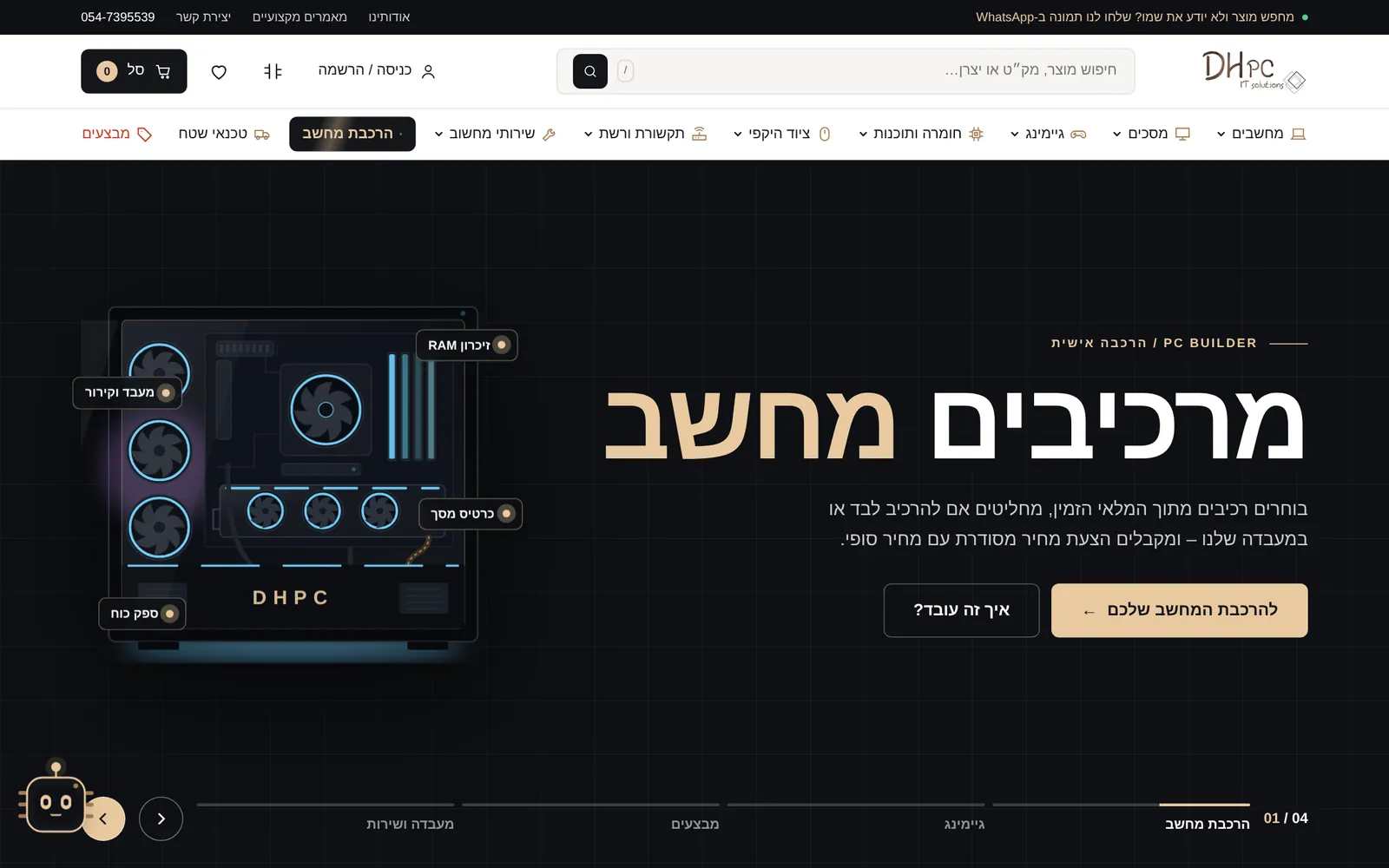
01. BackgroundA Computer Store Whose Stock Changes Every Hour
DHPC is a store, a lab and an IT services provider for businesses in the Haifa area and the north, all at once. Most of the catalog comes from a single supplier, and its prices and availability keep changing. On the previous site every such change meant a plugin, a manual update or a fix after the fact, and the store did not reflect what could actually be bought.
The challenges we brought to the table:
- A catalog that never stops moving. More than a thousand products whose price and stock change at the supplier, with no person able to follow all of them.
- Missing or messy product descriptions. Some products arrived with no description, some with broken text, and the technical specification was scattered inside the product name.
- A complex purchase. A customer who wanted a custom-built PC had to call, send a list and wait for a quote.
- Three businesses on one site. The store, the lab and the IT services for businesses had to live together without one hiding the others.
- Existing users and content. Registered customers, orders, articles and Google rankings that could not be lost in the move.
02. ApproachThe Logicode Solution
We did not adapt a theme or assemble plugins. We wrote the store from scratch, in clean code, so that every part of it knows the business: products know where they come from and when they were last updated, an order knows whether it includes assembly in the lab, and the manager sees what matters today on a single screen.
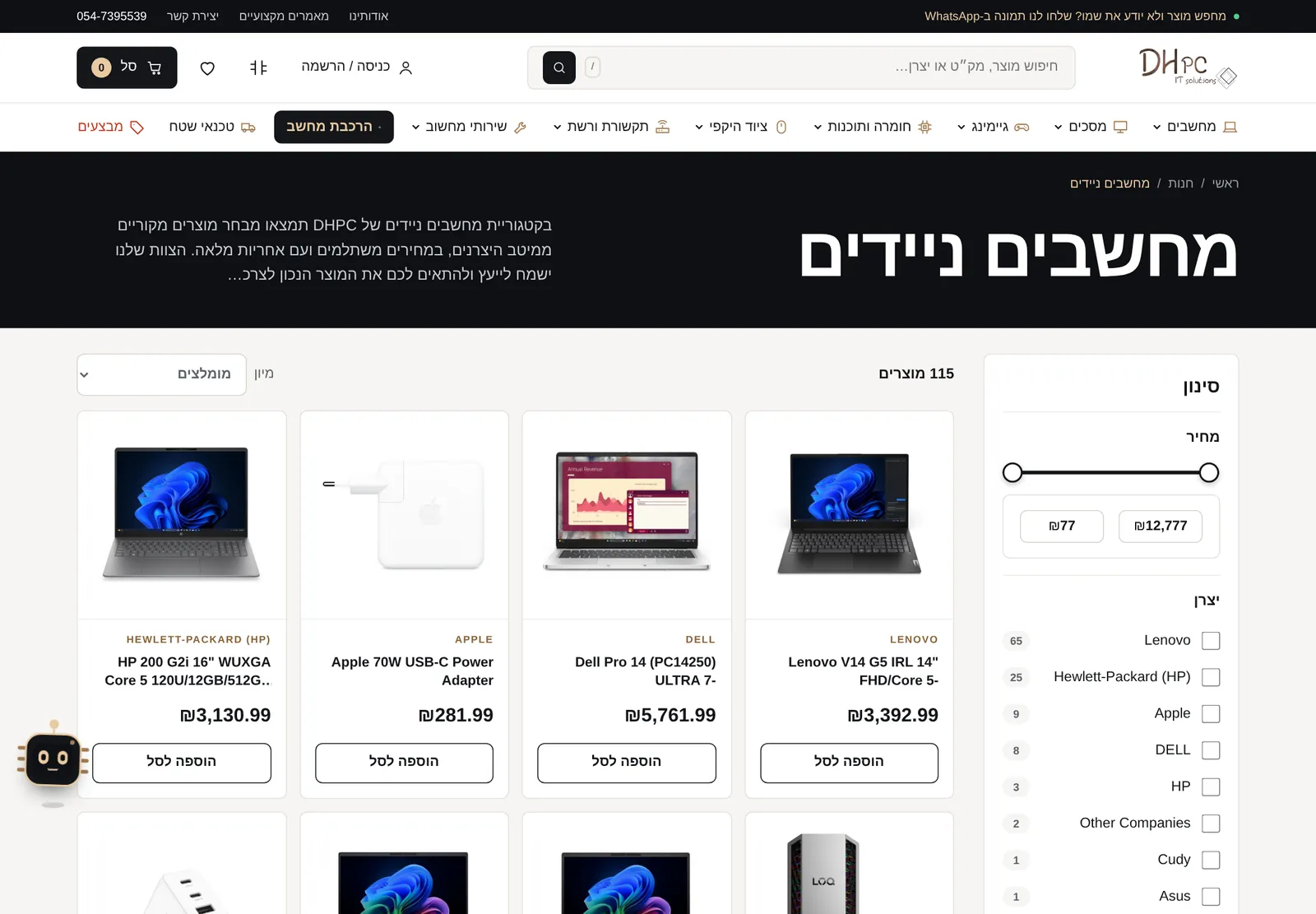
We started with the catalog, because everything else follows from it. We built an import mechanism that pulls the supplier's data, cleans the descriptions, produces an orderly technical specification and updates availability every hour. Only once the catalog stood on its own feet did we build the shopping experience around it: live search, product comparison, a wishlist, a short checkout and secure payment. In parallel we migrated the users, orders and content from the old site, and kept the page URLs so that the move would be transparent to customers and search engines.
03. The PC BuilderA Builder That Ends in a Price Quote, Not a Phone Call
Building a PC is the most complex purchase in the store, so it got a tool of its own:
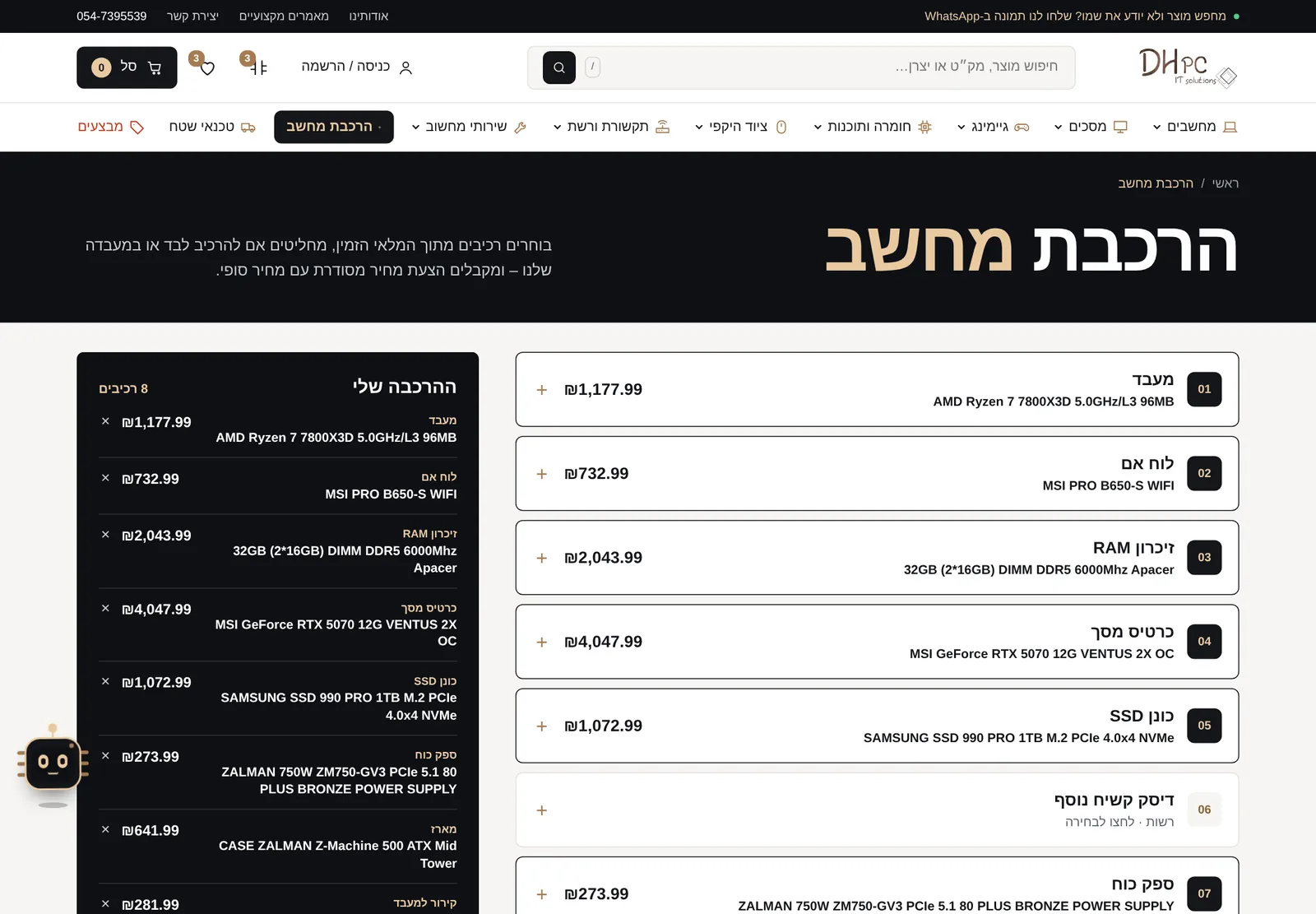
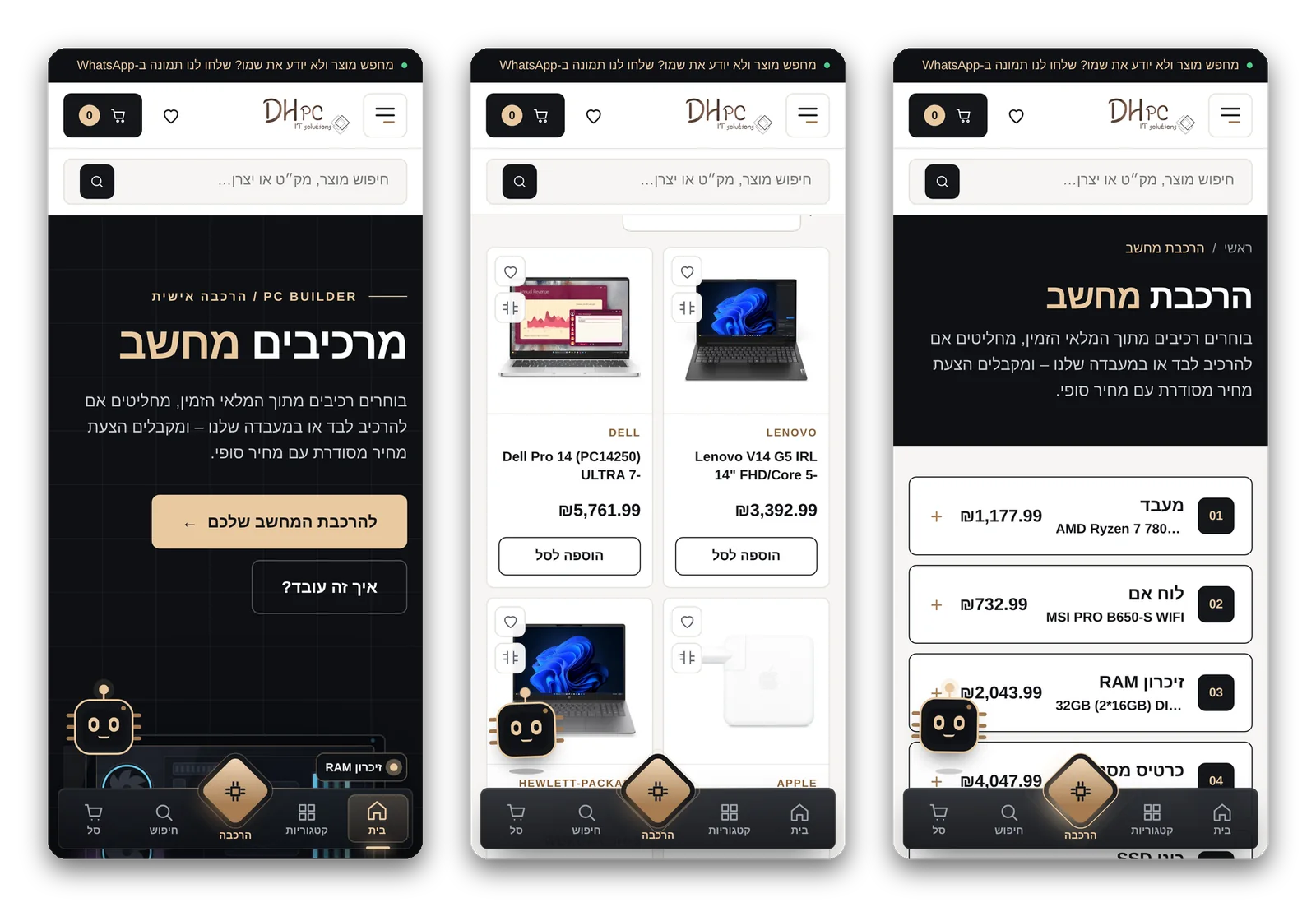
- 12 clear steps: processor, motherboard, memory, graphics card, storage, power supply, case, cooling and more, each with search and filtering by manufacturer.
- Only what is in stock: the lists are drawn from the live catalog, so nobody builds a PC around a component that cannot be delivered.
- Assembly in the lab or self-assembly: the customer chooses, and the price updates immediately.
- A branded price quote: sent to the customer by email with a PDF file, and at the same time delivered to the manager with all the customer and request details.
- Pick up where you left off: a link in the quote opens the build exactly as it was saved, and from there the customer adds it to the cart and orders.
- Automatic follow-up: a quote that has not closed after three days gets a reminder to the customer and a follow-up task for the manager.
Core System Components
Everything a computer store needs, written in one place and speaking the same language.
A Catalog That Updates Itself
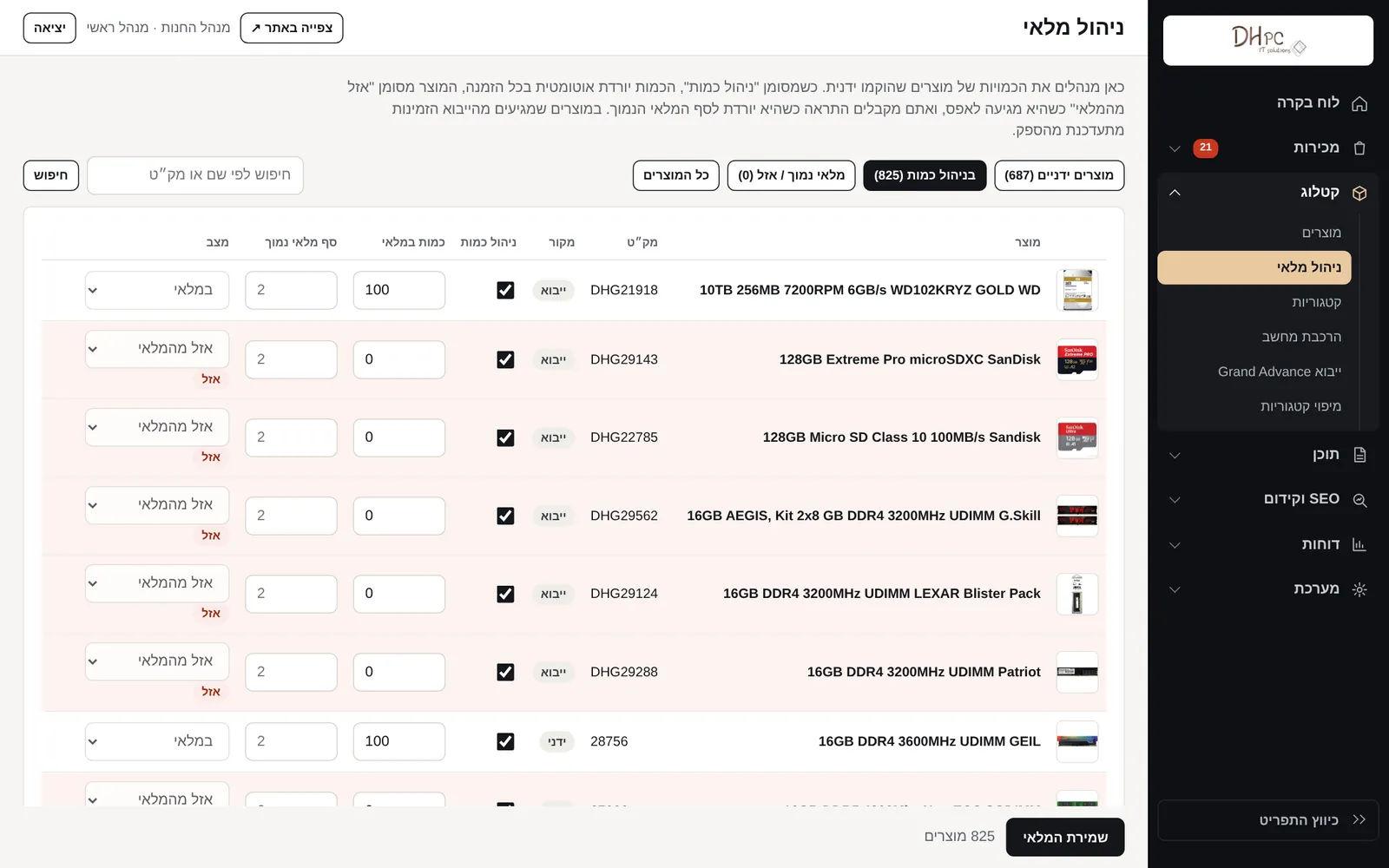
Products are pulled from the supplier in a full import once a day, and availability syncs every hour. A product that sold out is marked immediately, and a product the manager edited by hand can be locked so the import does not overwrite it.
Clean Descriptions and Specifications
Supplier descriptions are cleaned automatically, and a product that arrived without a description gets one built from its data. The technical specification is shown in a separate tab and is also used for comparing products.
Live Search and Filtering
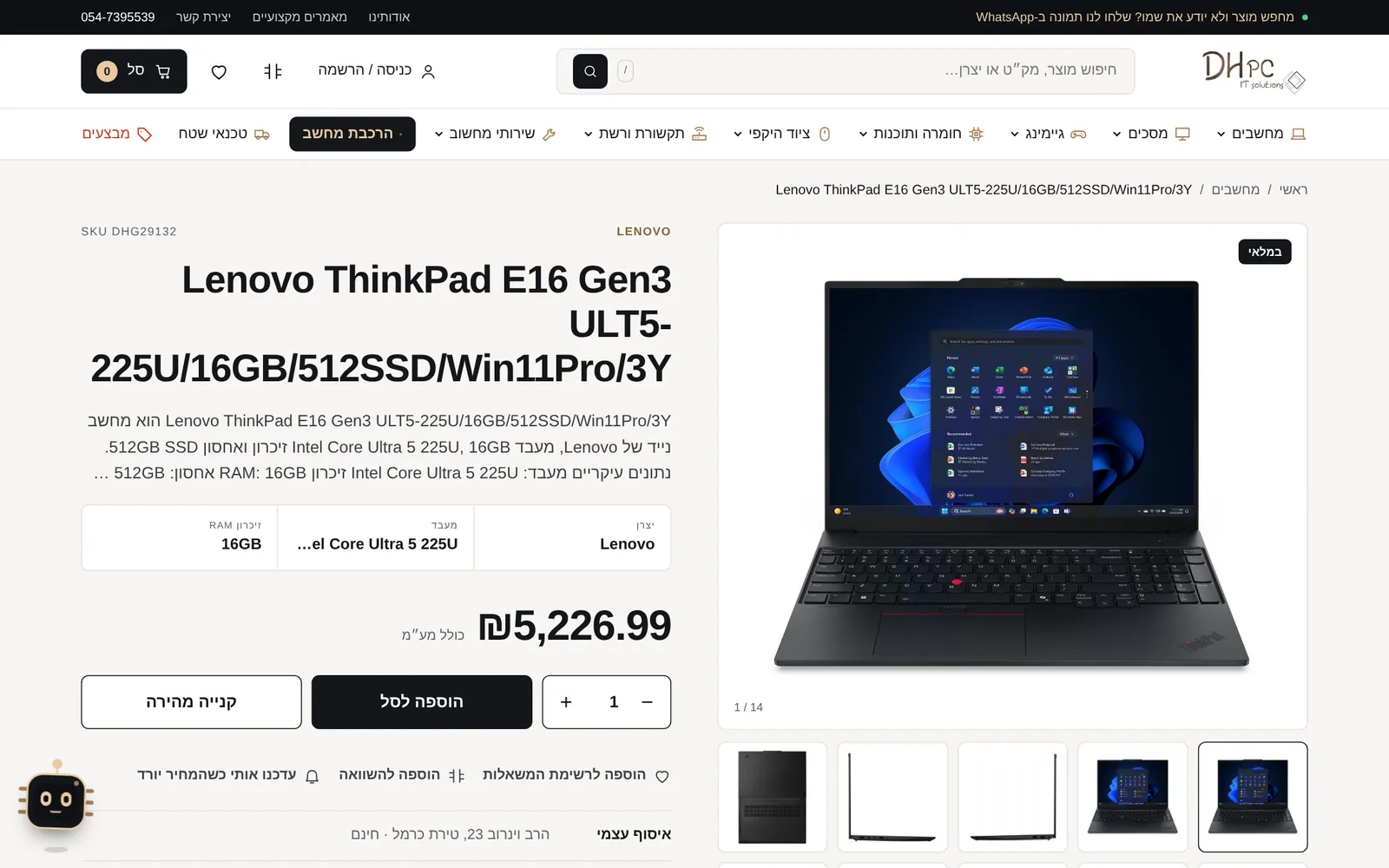
Results appear as you type, by name, SKU or manufacturer. On category pages you filter by price, manufacturer and availability, and load more products with a click.
Product Comparison and Wishlist
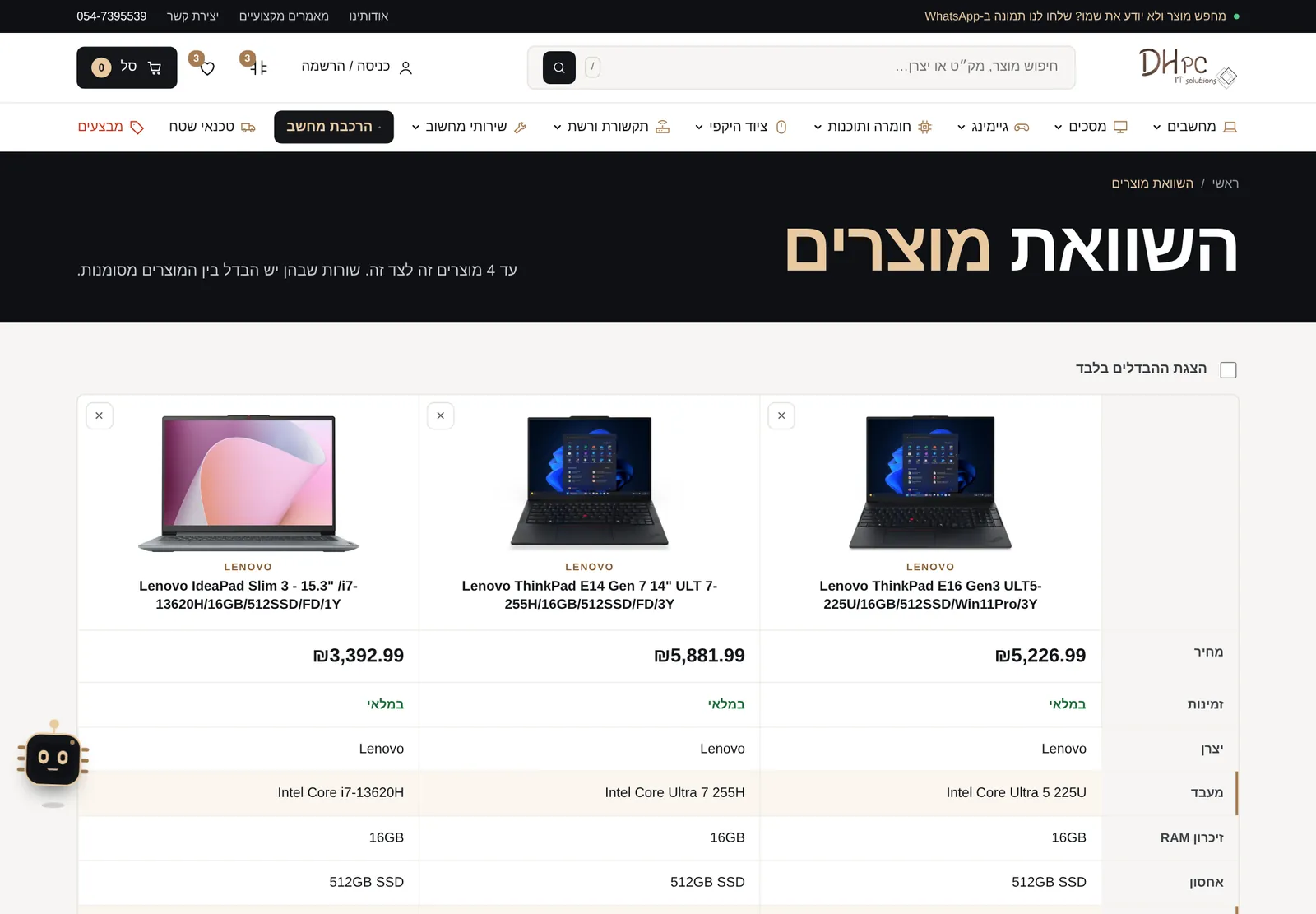
Up to four products side by side, with the rows that differ highlighted. A wishlist can be started as a guest, and it moves to the account after sign-in.
Back in Stock and Price Drop
A customer who asks for an update and consents to messages receives an automatic email when the product returns or the price drops. The consent is stored, and every message includes an unsubscribe link.
Checkout, Shipping and Coupons
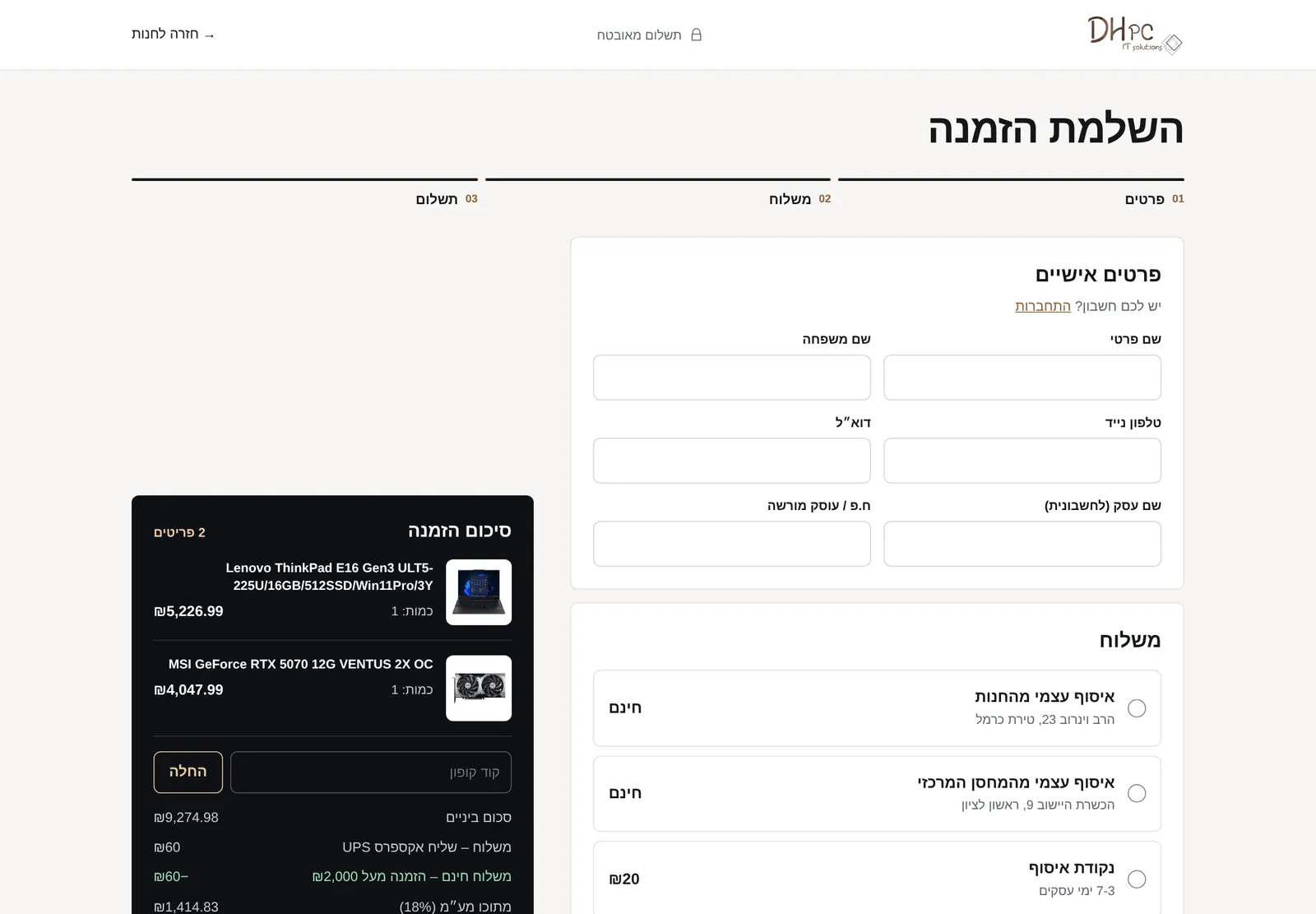
A one-page checkout with self pickup, a pickup point and courier. Coupons with conditions: percentage or amount, a discount cap, specific categories, first order and free shipping.
Secure Payment and Invoice
Payment is made on the payment provider's secure page, and the invoice is issued automatically when payment completes. Besides credit cards, customers can pay by bank transfer or by phone.
Reviews From Real Customers
A week after an order is completed the customer receives a review request with a personal link. Only someone who bought can write, and the manager approves before publication on the home page and the product page.
Chip, the Digital Assistant
A small character that accompanies the visitor: it recommends products by budget, answers common questions about shipping, warranty and opening hours, and hands off to WhatsApp when a human is needed.
Installable App, Accessibility and Privacy
The site installs on the home screen like an app, with a bottom menu on mobile. An accessibility menu, cookie-consent management and a privacy center are built in, and every form is protected from bots without bothering the customer with a CAPTCHA.
Admin Panel With Analytics
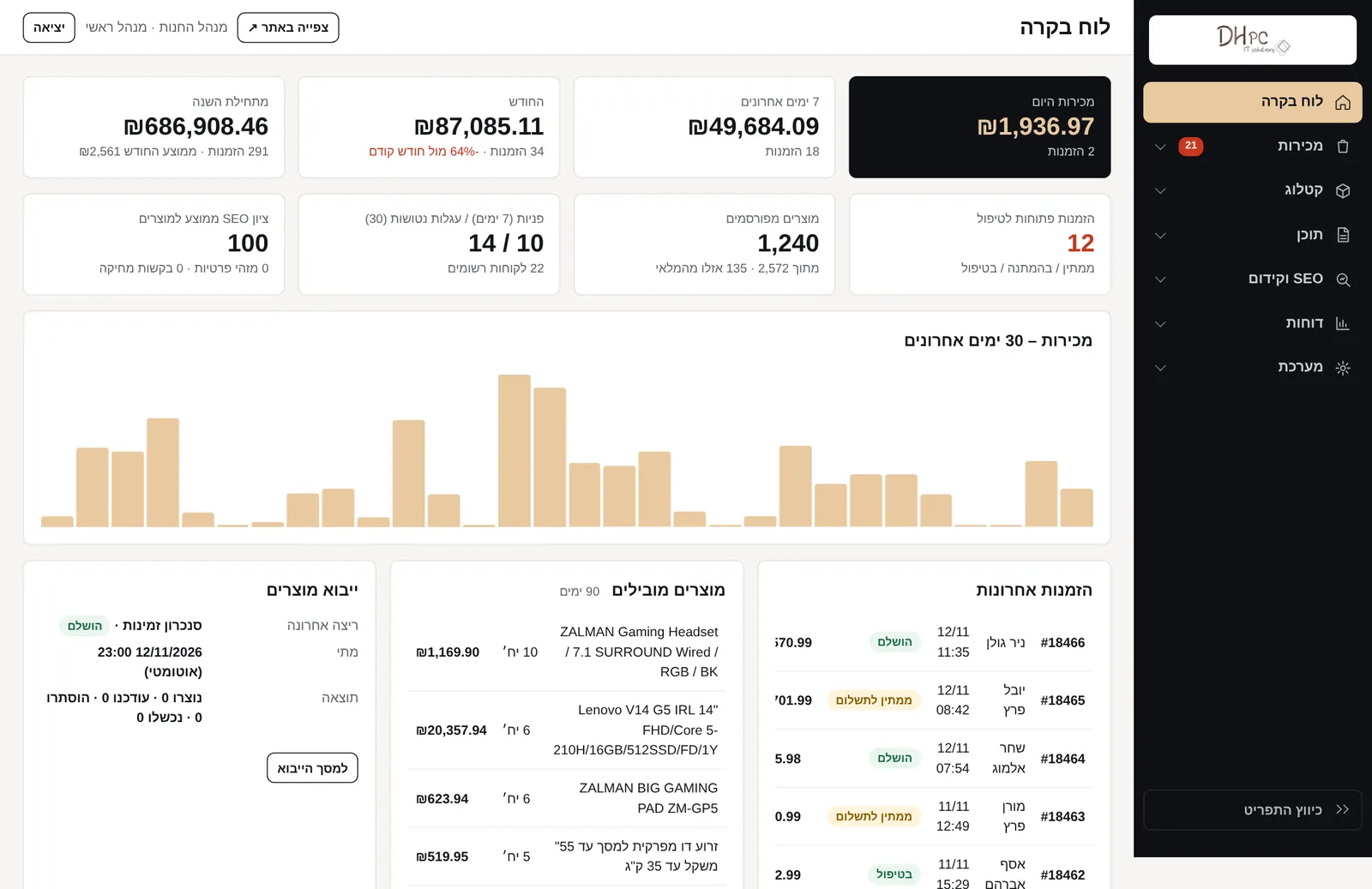
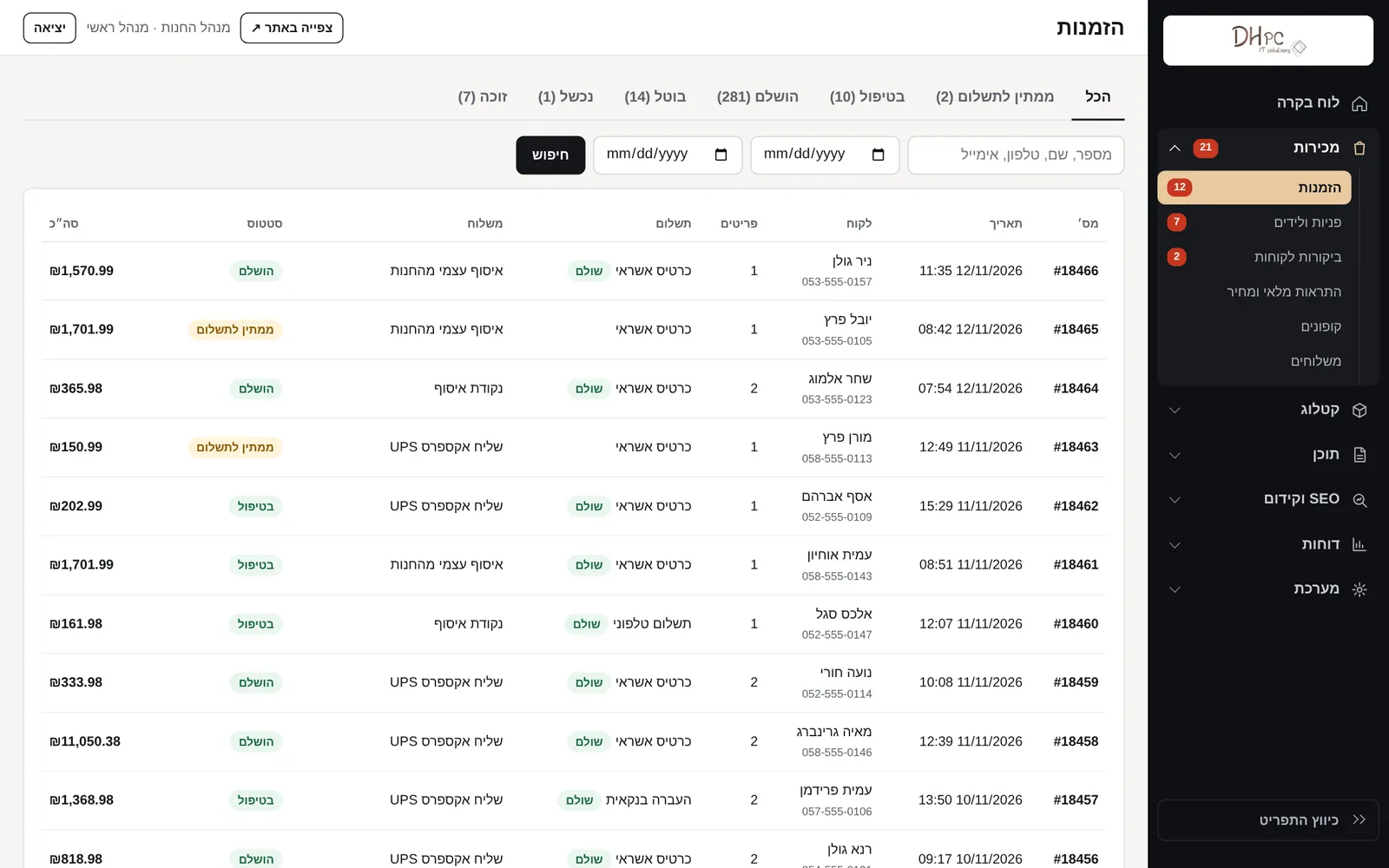
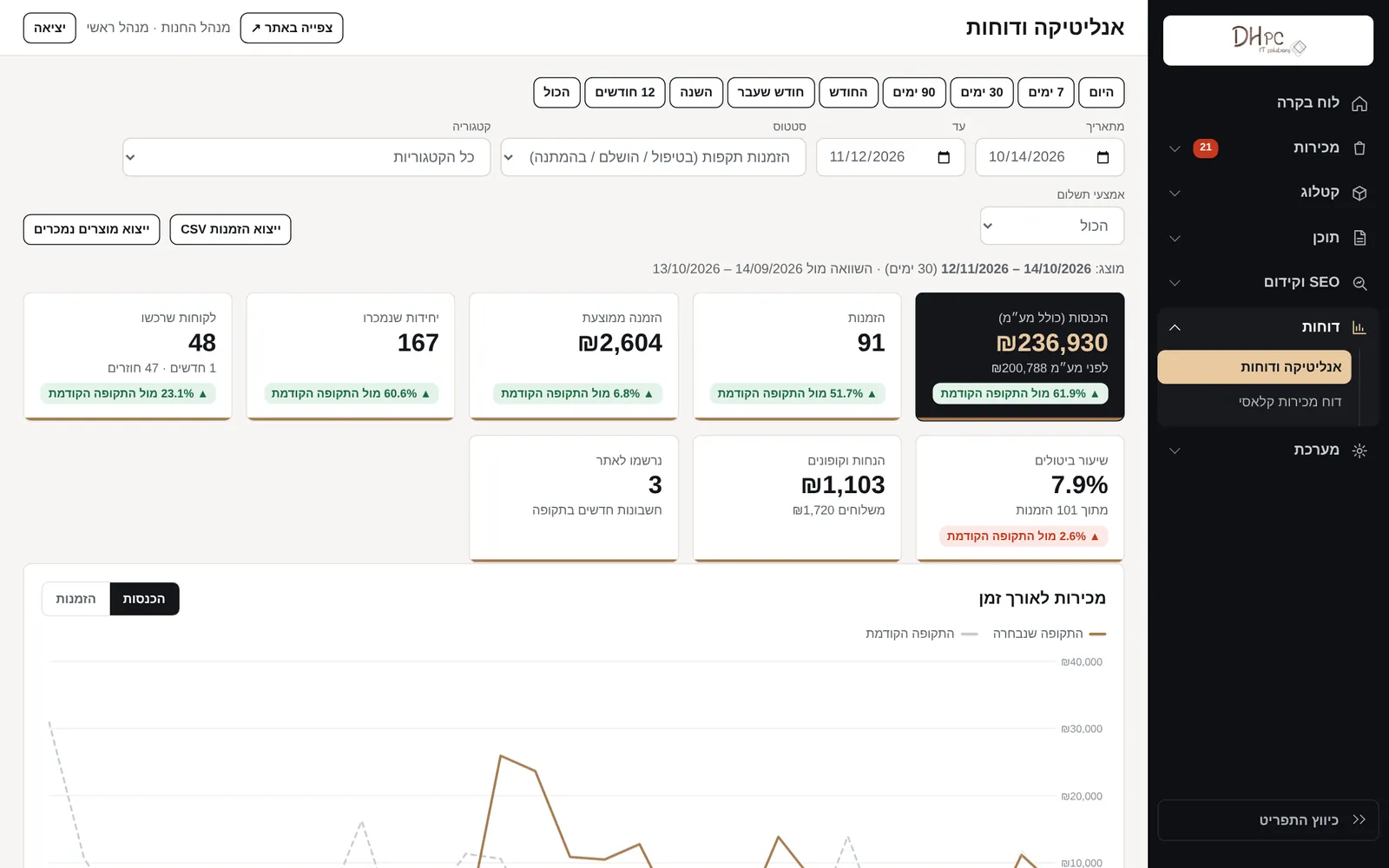
Orders, products, stock, customers, enquiries and content in a single admin screen. The analytics area shows sales by period, leading products, products that did not sell and a comparison to the previous period, with export to a file.
Built-In SEO and GEO
Every page gets an SEO score and recommendations for improvement. The sitemap, the structured data and the file for AI engines are generated automatically, alongside service-area pages for the lab and the field technician.
Inside the Platform
Screenshots of the store and the admin panel. All order, customer, amount and review data in the admin screenshots is demo data.
04. Under the HoodA Platform Written for DHPC's Needs
The part customers do not see is the one that saves DHPC the most time. The system works in the background, reports when something needs attention, and does not wait for someone to log in and check.
- Clean code, no plugins. The store was written from scratch around DHPC's workflows, so it has no redundant components that slow it down or break on an update.
- A move without losing anyone. Users moved with their details and passwords, orders and articles were migrated, and page URLs were preserved.
- Automations. Import and availability sync, an abandoned-cart reminder, stock and price alerts, a review request, a quote reminder and a morning report for the manager.
- Branded emails. Twenty email templates in the site's design, which the manager edits personally: subject, heading, text and button.
- Privacy and security. Consent management, data-deletion requests, an action log in the admin interface and protection on every form.
- Updates without downtime. Every new version goes up as a single file, and the system updates itself on the first sign-in.
Questions and Answers
Why develop a store from scratch instead of staying on WordPress?
Because DHPC's catalog changes every hour, and the business combines a store, a lab and services for businesses. In an off-the-shelf system each of those needs is a separate plugin that must be maintained and that collides with the others. In a store written around the business they are part of the same system, so they work together, and fast.
How does the catalog stay up to date without manual work?
The system pulls the supplier's data once a day and syncs availability every hour. A new product comes in with images, a clean description and a specification, a product that sold out is marked, and a product that disappeared from the supplier is hidden. The morning report shows the manager whether the last sync succeeded and what needs his attention.
What happens to users and orders from the old site?
Everything moves over. Registered customers keep signing in with the same password, order history is kept in the personal area, and the articles and pages stay at the same URLs. Anyone arriving from an old link or a Google result lands on the right page on the new site.
How does the PC builder work?
The customer moves through the build steps, picks a component at each step from the available stock and watches the price update. At the end they can add everything to the cart, print the quote or receive it by email as a PDF file. The manager receives the same request with the customer's details, and if the quote did not close, the system reminds both sides.
Can the store be managed from a phone?
Yes. The admin panel can also be opened from the browser on a phone, including orders, stock and enquiries. The morning report and alerts about a new order, a cancellation request or low stock arrive by email, so most of the time there is no need to enter the interface at all.
Where does a project like this begin?
With a conversation about how the business works today: where the products come from, how a sale closes and what takes the most time. From that comes a specification, followed by design, development, testing and launch. Existing content and users are migrated as part of the project.
DHPC's new store shows, at every moment, what can really be bought, lets customers build a PC without picking up the phone, and sends the manager the full picture every morning. What used to be daily manual work became something the system does on its own.